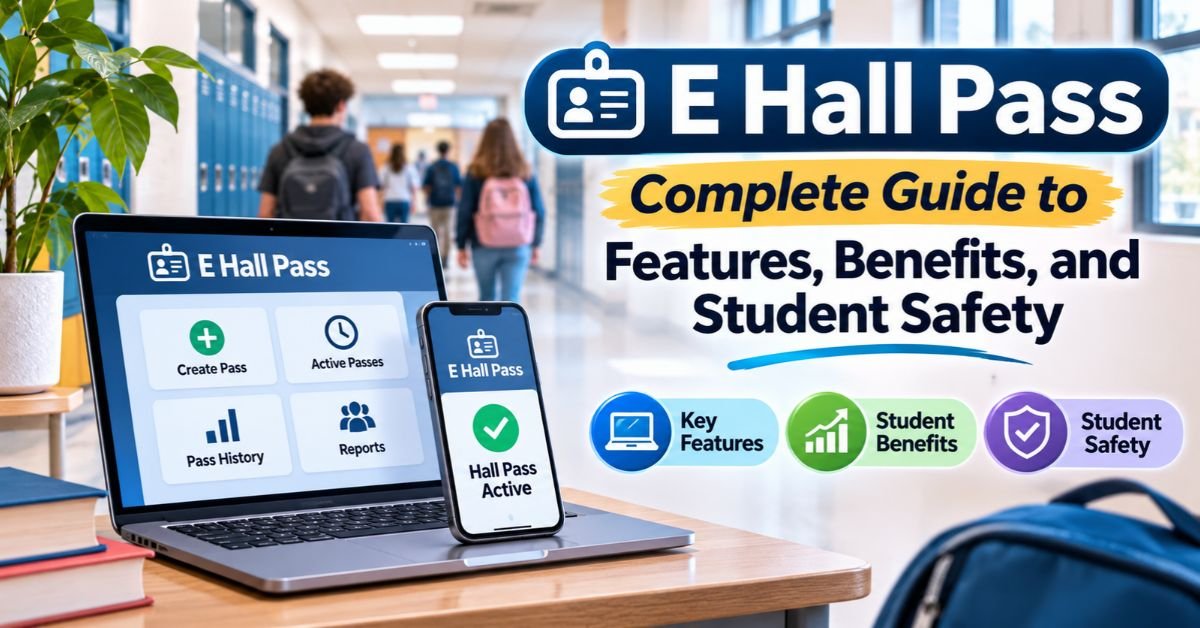
E Hall Pass Complete Guide to Features, Benefits, and Student Safety
Picture a student drifting down a quiet hallway with a crumpled paper slip. Is it real? Did a teacher sign it? Nobody can say for sure. That old routine is fading fast. The E Hall Pass system swaps scribbled slips for a digital hall pass that staff can check in seconds. This guide answers what is E Hall Pass, how it works, and why schools worldwide are adopting it. You’ll also learn about privacy, setup, and how it compares with paper.
What Is E Hall Pass and How Does It Work?
Think of E Hall Pass as a ticket desk for hallway trips. It is a hall pass management platform that lets students ask to leave class on a screen. Teachers answer with a tap. The system then logs the trip from start to finish. This is digital transformation in education at the smallest, most practical level. Schools have already moved attendance, grades, and parent messages online. Hall passes were simply the next paper habit to go.
How does E Hall Pass work in daily life? A student picks a destination. A teacher approves it. The clock starts. When the student returns, the pass closes. Every step lands in a record that staff can search later. That single loop gives schools real-time pass visibility and better student supervision without extra paperwork. It also gives teachers one less thing to juggle during a busy lesson.
Understanding the Digital Hall Pass System
A digital hall pass runs on computers, tablets, and phones, so it fits almost any classroom. Many schools treat it as one more piece of educational technology in their digital school infrastructure. The E Hall Pass school system records three simple facts. It notes where the student said they were going. It notes when they left. It notes when they came back. Those facts form a searchable log of student movement records. Staff no longer dig through piles of slips to answer one question.
Why Schools Are Replacing Traditional Paper Passes
Paper passes fail in small but costly ways. Students lose them. Others copy or forge them. No teacher can see how many students are out across the building. Worse, a paper slip leaves almost no history behind. A paperless hall pass system fixes each of these gaps at once. It also fits the wider move toward paperless school management, where grading, attendance, and messaging already live online. Schools that adopt it gain clarity first. Time savings follow soon after.
How the E Hall Pass System Works
A pass request takes only seconds. That speed is the heart of the E Hall Pass system. A student asks. A teacher answers. The platform tracks the rest. Because every step is logged, nobody has to rely on memory. The whole flow works like a relay race. Each runner hands off cleanly to the next. Nothing drops on the floor.
Teachers stay in charge the entire time. The software never lets a student leave without approval. Instead, it handles the boring parts. It records the time. It counts the minutes. It flags problems. This mix of human judgment and automatic tracking makes electronic pass management both friendly and firm. It also supports teacher-student communication, since a teacher can still explain a denial in person.
Student Pass Requests and Teacher Approvals
How to request an electronic hall pass is simple. A student opens the tool and chooses a destination such as the restroom, nurse, or library. That is a typical student bathroom pass request. The request then appears on the teacher’s screen. In the digital pass approval process, teacher pass approval often takes one click. That is how teachers approve hall passes without stopping a lesson. Some places, such as a counselor’s office, may need a second staff member to approve. Students use E Hall Pass login details from their school to get in, and E Hall Pass student access follows each school’s own settings.
Digital Monitoring of Student Hallway Movement
Once a teacher approves a trip, the platform keeps watching the clock. A hallway monitoring system like this shows who is out and for how long. Digital pass tracking also supports student attendance tracking, because staff can see a student’s status during class. If a student stays out too long, the system can send an alert. Note that it logs the reported destination and the times. It is not a GPS tracker. That makes it a digital student pass and not a surveillance tool.
Managing Pass Duration and Active Requests
Every active pass carries a timer. Schools can set hall pass time limits so that a restroom trip does not turn into a long walk. When time runs out, staff get a nudge. The teacher dashboard also shows all active requests at a glance. Teachers can approve, deny, or let a request wait. Many schools add a simple rule for response speed. For example, teachers might answer within a minute or two. Clear timing keeps students from waiting and keeps hallways calm.
Key Features of E Hall Pass
Good tools give schools control without adding chores. The core features of an online hall pass system do exactly that. They set limits. They show activity. They store records. They put all of it in one place. Think of them as the dashboard of a car. You see speed, fuel, and warning lights at once. Nobody has to guess.
The table below gives a quick snapshot of the main features. Each one is explained in the sections that follow. Together they cover E Hall Pass features for teachers and administrators. They also support school safety technology goals and everyday classroom pass management.
| Feature | What It Does | Who Uses It Most |
| Pass limits | Caps passes per day or period | Administrators |
| Live monitoring | Shows who is out and where | Teachers and staff |
| Staff dashboard | Gives a building-wide view | Administrators |
| Pass history | Stores searchable records | Counselors and leaders |
Customizable Pass Limits and Restrictions
E Hall Pass restrictions let schools shape the rules to fit their needs. A school can set one daily limit for everyone. It can also change limits by grade or by student. Some students need extra access for medical reasons, so individual settings matter. Schools can cap a location too. If the library is full, no new passes go there until space opens. This kind of managing student hallway access supports hallway traffic control and prevents crowding. It also supports student behavior management in a calm and fair way.
Real-Time Student Activity Monitoring
Real-time student activity monitoring shows who is out of class right now. It also shows where each student is headed and how long they have been gone. That view was impossible with paper slips. It helps most in an emergency, when staff must account for every student fast. A single screen replaces a dozen scattered notes. This is digital school safety tools at work. It strengthens school security management and gives teachers peace of mind.
Staff Dashboard and Administrative Controls
The E Hall Pass teacher dashboard gives each teacher a clear view of their own class. Administrators get a wider view across the whole building. This setup supports administrative oversight and smooth school administration efficiency. Leaders can adjust rules, review alerts, and spot busy times. Exact controls vary by school and by plan, so check the vendor’s official website for current details. Good school administration software should make these tasks feel easy, not heavy.
Digital Records and Pass History
Every pass leaves a trace. That trace becomes school hallway movement records that staff can search by student, place, or time. Suppose pass requests jump right after lunch each day. Leaders can then ask why. Maybe the schedule needs a tweak. Maybe a hallway needs more supervision. Either way, data beats guessing. These records also help counselors notice patterns early. A student who often leaves at the same time may need support, not scolding.
Benefits of Using E Hall Pass in Schools
What would you do with a few extra minutes of teaching time every period? That is one big promise of the benefits of digital hall pass systems for schools. Time is only the start. Schools also gain safety, order, and better information. Each benefit feeds the next. Calm hallways lead to calm classrooms. Calm classrooms lead to better learning.
The table below sums up the main gains and who feels them most. After it, a short example shows the change in real life. Together they show how E Hall Pass improves student accountability and daily school operational efficiency.
| Benefit | Who Gains | How It Helps |
| Safety | Students and staff | Staff know who is out and why |
| Fewer interruptions | Teachers | Approval takes seconds |
| Smoother hallways | Whole school | Limits reduce crowding |
| Better data | Administrators | Records replace guesswork |
Here is an illustrative case. Imagine a mid-sized middle school that struggles with crowded hallways after lunch. Staff switch to a virtual hall pass and set a cap on trips during that hour. Within weeks, fewer students wander the halls. Teachers stop pausing lessons to write slips. Leaders also spot which rooms see the most requests. One teacher in this made-up scenario might say, “I forgot how much time paper slips ate up.” This example is a sample only, not a real quote or report. Still, it shows how small changes add up.
See Also: Tech Almawadahit Com Complete Guide, Features, Trends & Insights 2026
Improved Student Safety and Accountability
Knowing where students are supposed to be is a real safety gain. In an emergency, staff can check the system and see who is outside a classroom. Day to day, students know trips are logged. That awareness improves student accountability and cuts down on aimless wandering. It also helps school safety policies work in practice and not just on paper. Staff can spot odd patterns early. Then they can start a caring conversation before a small issue grows.
Reduced Classroom Disruptions
Paper passes force a teacher to stop mid-sentence and write a note. A digital restroom pass cuts that pause to a few seconds. Over a full day across many rooms, those seconds become hours of teaching time. This is classroom disruption prevention in its simplest form. Lab classes and electives gain the most, since students often step out for supplies. Strong classroom management depends on flow, and this tool protects it.
Better Hallway Traffic Management
Busy hallways cause noise, delays, and sometimes trouble. Capacity caps and hall pass time limits spread trips more evenly. A school bathroom pass system can limit how many students leave at once. That keeps restrooms from filling up. Strong student movement management also helps staff plan around peak times. The result is a quieter building with fewer surprises.
More Efficient School Administration
One platform replaces scattered slips and sticky notes. Leaders pull reports in minutes instead of hours. That is the heart of school administration efficiency. Because the tool works as school hall pass software, it can sit beside other educational management systems. Good school technology integration saves staff from entering the same data twice. Smart leaders use the insights to fix schedules, adjust supervision, and plan better.
E Hall Pass Privacy, Security, and Common Concerns
Parents and teachers ask fair questions about any school technology. Privacy tops the list. So do safety and reliability. Clear answers build trust. Schools should share them early and often. A calm, open conversation prevents most worries before they grow.
This section covers three big topics. First comes location tracking. Next comes data protection. Last come technical limits. Read the E Hall Pass privacy policy from your school or vendor for exact details. Policies differ by region and by contract. That is why E Hall Pass privacy and security concerns deserve a careful look.
Does E Hall Pass Track Students’ Physical Location?
In general, no. The tool records the destination a student reports and the times they leave and return. That mirrors what a paper pass already captured. It typically does not use GPS or phone-based tracking. Still, schools should confirm this in the vendor’s current documentation before telling families. Honest, specific answers calm fears faster than broad promises. Remember that student movement tracking here means logging trips, not following feet.
See Also: Business RobTheCoins 12 Proven Tips and Growth Strategies for 2026
Student Data Privacy and Security
Student data protection matters as much as any feature. Schools should ask what data the tool collects. They should ask who can see it and how long it stays stored. Laws guide this work. In the United States, the FERPA guidance covers student education records. In Europe, the GDPR overview explains data rights. Good student privacy protection also needs strong passwords and limited staff access. Ask your school how it handles these basics.
Common Technical Issues and Limitations
No tool is perfect. Wi-Fi can drop. Devices can run out of battery. A busy teacher may reply slowly. Students with medical needs can feel stuck under strict limits. Each problem has a fix. Training builds faster replies. Individual settings protect students who need extra access. Backup steps, such as a quick manual note, cover outages. E Hall Pass mobile access depends on school rules too, so some schools allow phones while others do not.
How Schools Can Successfully Implement E Hall Pass
A good rollout beats a perfect plan. Start with sensible defaults. Watch how the tool works in real classrooms. Then tune it over the first few weeks. That is how schools implement an electronic hall pass system without stress. A slow, steady launch builds trust. A rushed launch creates confusion.
Communication matters just as much. Tell staff, students, and parents what is changing and why. Explain what data the tool collects. Answer questions before they turn into complaints. This honest approach supports digital permission management and makes the whole change feel fair. It also shows families that the school takes student privacy protection seriously.
Setting Up School-Wide Pass Rules
Begin with a short list of default rules. Pick a daily pass limit that feels fair. Choose which places need extra approval. Decide how long a normal trip should last. Then plan exceptions for students with medical or personal needs. The table below offers a simple setup order. Adjust it after a few weeks of real use. Small tweaks beat big overhauls.
| Step | Action |
| 1 | Set a daily pass limit |
| 2 | Choose restricted or capped locations |
| 3 | Set time limits for common trips |
| 4 | Create a process for exceptions |
| 5 | Review the results after a few weeks |
Training Teachers, Staff, and Students
Teachers approve most requests, so they need hands-on practice before launch. A short live demo works better than a long manual. Set a clear goal for reply speed. Show students how to request an electronic hall pass with a simple one-page guide. Explain how teachers manage electronic hall passes during class. Confident users make fewer mistakes. They also feel less frustrated in the first weeks.
Establishing Clear Usage Policies
Write down the rules and share them widely. Spell out who can get extra access and how to ask for it. Keep the process the same for every student. Consistent policies protect students and staff alike. They also keep decisions fair when stress runs high. Clear school safety policies make the E Hall Pass school system easier to trust. Review the rules each term and update them as needs change.
E Hall Pass vs. Traditional Paper Hall Passes
Here is the short verdict. Digital wins on tracking, records, and safety. Paper wins on zero setup. That is the core of digital hall pass vs traditional paper hall pass. Paper is cheap and familiar. Yet it offers almost no data. A paperless hall pass system takes more planning. In return, it gives schools a clear view of student movement.
Schools gain the most when hallways feel crowded or when leaders want better records. Smaller schools with few passes may feel less urgency. Even so, many find that digital transformation in education pays off through saved time and stronger safety. The table below compares the two approaches side by side.
See Also: Zuhio Keyword Count Checker Complete Guide to 7 Useful SEO Features
| Category | E Hall Pass | Paper Pass |
| Tracking | Automatic and digital | Manual or none |
| Forgery risk | Low | High |
| Record keeping | Searchable history | Scattered slips |
| Teacher time | Seconds per request | Pauses the lesson |
| Hallway visibility | Building-wide view | Room by room |
| Emergency accountability | Fast and centralized | Slow and unreliable |
| Setup effort | Moderate | None |
Frequently Asked Questions
What Is E Hall Pass Used For?
People often ask what is E Hall Pass used for in schools. Schools use it to request, approve, and track hall passes digitally. It replaces paper slips and helps staff manage student movement during class time. It also builds a record that leaders can review later.
Does E Hall Pass Track Student Location?
Does E Hall Pass track student location? In general, it records the destination a student reports plus the times they leave and return. It typically does not use GPS. Confirm the details with your school or the vendor’s current documentation.
Can Students Request an E Hall Pass From Their Phones?
Can students use E Hall Pass on their phones? Many schools allow it. Others limit requests to classroom devices. It all depends on each school’s settings and phone policy.
Do Teachers Need to Approve Every Hall Pass?
Usually yes. Teacher approval keeps control with staff and keeps the process safe. Some places, like the nurse or counselor, may need other staff to approve as well. Rules vary by school, so confirm with your vendor.
Is E Hall Pass Safe for Students?
Is E Hall Pass safe for students? It improves accountability and helps staff know who is out of class. Real safety also depends on good policies, trained staff, and strong data protection. A tool works best when people use it well.
Conclusion
The E Hall Pass system turns a tired paper habit into a smart, searchable process. It saves teaching time and improves student accountability. It also gives leaders a clear view of hallway activity. Privacy deserves care, so read the policy and ask questions. When schools plan well and train staff, the tool becomes a quiet helper in the background.
Ready to act? Review how your school handles hall passes today. Note the pain points. Then talk with your team about whether a digital hall pass fits your needs. Share this guide with a colleague who might find it useful.